
Key takeaways
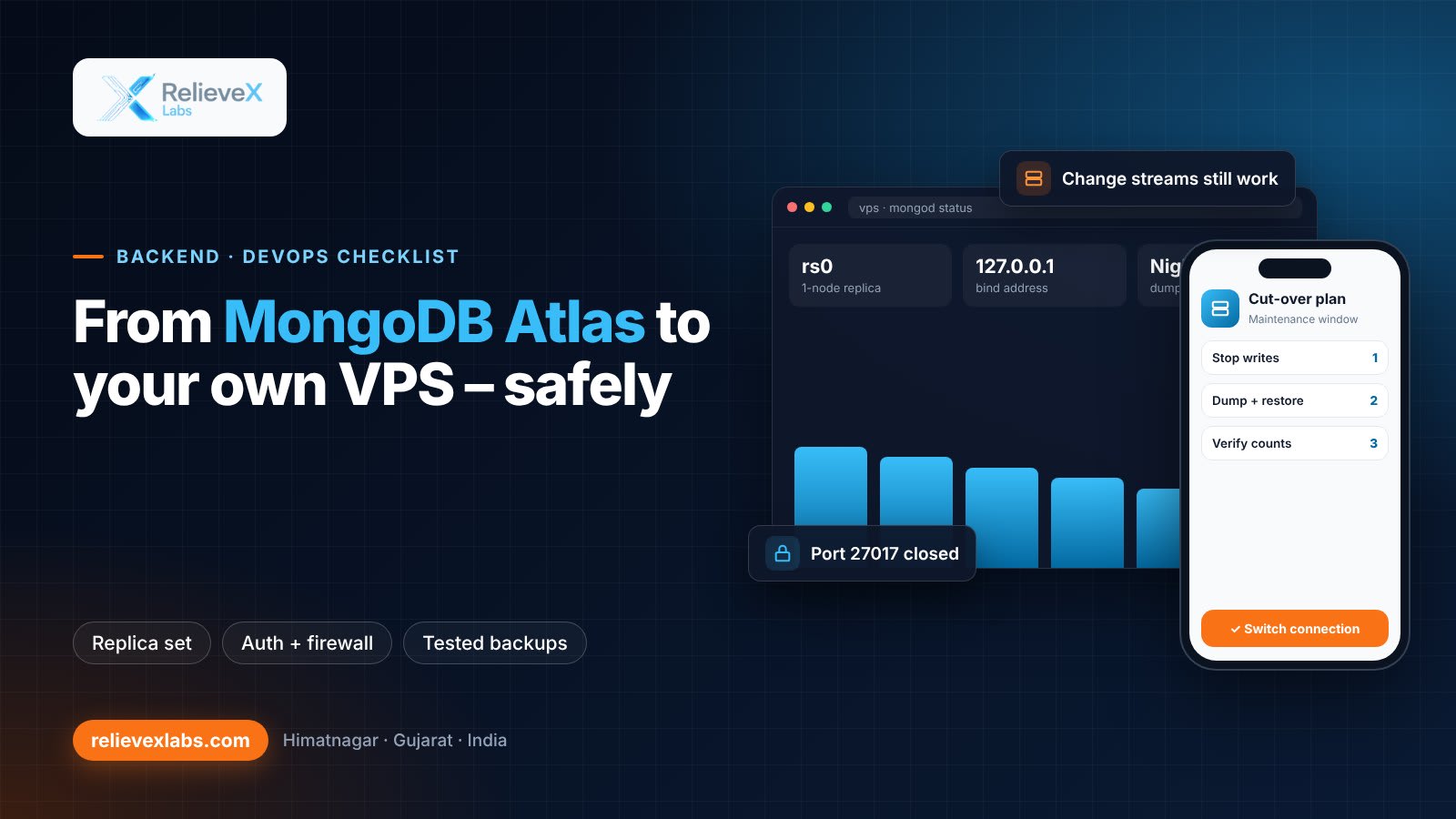
- Change streams and transactions need a replica set – run even a single server as a one-node replica set.
- Enable authentication, bind MongoDB to localhost or a private address and block port 27017 in the firewall.
- Give each app its own database and its own user with access to that database only.
- Rehearse the move with mongodump and mongorestore, then do the real cut-over in a short maintenance window.
- Backups are not done until a restore has been tested.
In this article
Most of our projects start on MongoDB Atlas, and for good reason: it is quick to set up, backups are built in and nobody has to think about the server. But as the number of apps grows, so does the bill – and several of our apps already run on our own VPS with plenty of spare capacity. For BAGALEPA we decided to move the database next to the API on the VPS, as a separate database so the other apps' data stayed untouched.
Self-hosting is not free money. You take over everything Atlas did quietly: security, updates, monitoring and backups. This is the checklist we use so that the move saves money without adding risk.
1. Decide what you are giving up
Before installing anything, write down what Atlas provides today and who will do it after the move:
| Atlas did this | After the move |
|---|---|
| Automatic backups and point-in-time restore | Scheduled dumps copied off the server, tested restores |
| Security patches and version upgrades | Planned upgrades on the VPS |
| Replica set with failover | One-node replica set (no automatic failover) |
| Monitoring and alerts | Disk, memory and process checks on the VPS |
If an app truly needs automatic failover across machines, stay on a managed service or run a proper three-member replica set. For a single-server app, a one-node replica set with good backups is a reasonable trade.
2. Run MongoDB as a replica set – even with one server
This was the most important lesson. BAGALEPA's API uses change streams to push post updates to the app in real time, and change streams (like multi-document transactions) do not work on a standalone server. On Atlas you never notice, because every cluster is a replica set. On a fresh VPS install, MongoDB starts as a standalone, and the app fails in a confusing way.
The fix is to give the server a replica set name in its configuration, restart it and initiate a one-member replica set. Connection strings then include the replica set name. Do this before the migration, and test the feature that uses change streams on the new server.
3. Lock it down before any data arrives
- Authentication on. Create an admin user, then enable authorization in the configuration.
- Bind to localhost. When the API runs on the same VPS, MongoDB should listen only on 127.0.0.1. A database listening on a public address is how ransom notes end up in collections.
- Firewall. Block port 27017 from outside even if the bind address is correct – two locks are better than one.
- One user per app. Each app gets its own database and a user with read-write rights on that database only. A bug or leaked password in one app cannot touch another app's data.
- Remote access through SSH. When a developer needs a GUI client, they connect through an SSH tunnel instead of opening the port.
4. Rehearse the move
Never migrate a live database on the first attempt. Rehearse it:
- Take a dump of the Atlas database with
mongodump(compressed archive). - Restore it into the new database on the VPS with
mongorestore. - Compare document counts per collection and check that every index exists.
- Point a staging copy of the API at the new database and click through the important flows – login, feed, uploads, live features.
- Time each step. The dump and restore time tells you how long the real maintenance window must be.
Two details catch people out. Indexes are rebuilt during restore, which can take a while on large collections; and any database names inside connection strings, scripts or environment files must change together.
5. The real cut-over
A live app keeps writing data, so a dump taken at 10:00 is already out of date at 10:05. To lose nothing:
- Announce a short maintenance window at a quiet hour.
- Stop writes – put the API in maintenance mode or stop it.
- Take the final dump from Atlas and restore it on the VPS.
- Verify counts for the busiest collections.
- Change the connection string in the API's environment and restart it (we run our APIs under PM2).
- Test the critical flows on a real phone, then end maintenance.
Keep the Atlas cluster untouched for a week or two. If something unexpected appears, you still have the original data.
6. Backups you have actually tested
A backup is a file you have successfully restored. The routine we recommend:
- A nightly scheduled job runs
mongodumpfor each app's database into a compressed archive with the date in its name. - Archives are copied off the server – a backup on the same disk dies with the disk.
- Old archives are deleted after a fixed number of days so the disk never fills up.
- Once a month, one archive is restored into a scratch database and checked.
7. Keep an eye on the server
MongoDB likes memory. Watch free RAM and disk space, keep the WiredTiger cache within what the VPS can spare alongside your Node.js apps, and set an alert for disk usage – a full disk is the most common cause of a self-hosted database stopping. Plan MongoDB version upgrades like any other release, with a backup taken right before.
Was it worth it?
For apps that already share a well-managed VPS, yes: the database sits next to the API (lower latency), costs nothing extra beyond the server, and each app stays isolated in its own database with its own user. The price is discipline – security settings, backups and monitoring are now our job every week, not a checkbox in a dashboard.
Real-time features like the live scoring described in our cricket scoring article depend on this setup working correctly. If you are paying more for hosting than your app earns, RelieveX Labs can review your setup and plan a safe move.
Case studies mentioned in this article

Frequently asked questions
Why move from MongoDB Atlas to a VPS?
Usually cost and control. When several apps already run on a VPS with spare resources, a self-hosted database can be far cheaper than a dedicated Atlas cluster. In exchange, the team becomes responsible for security, updates, monitoring and backups.
Do change streams work on a single MongoDB server?
Only if that server runs as a replica set. A standalone mongod does not support change streams or multi-document transactions, but a one-member replica set does.
How do you migrate without losing data?
Rehearse with a dump and restore first. For the real move, stop writes (a short maintenance window or a read-only mode), take a final dump from Atlas, restore it on the VPS, check document counts and indexes, then point the app to the new connection string.
Should the database port be open to the internet?
No. Bind MongoDB to localhost when the app runs on the same server, or to a private network address, and block port 27017 in the firewall. Use an SSH tunnel when you need to connect from your computer.
References & further reading

About the author
Priyank Patel
Founder of RelieveX Labs / RelieveX - IT Solutions · 3+ years experience
Priyank Patel is a Full Stack MERN Developer and Founder of RelieveX Labs, specializing in high-performance web applications, scalable mobile apps, and SEO-driven digital solutions. With expertise in React, Next.js, Node.js, MongoDB, and React Native, he helps businesses build powerful, conversion-focused digital products.
View profile & projects

